For AV integrators
Your projects, your technicians
and the paperwork, handled.
The project gets planned, the work order reaches the technician, the job is followed from a phone and the delivery note comes back signed by the client. You see all of it from the same place, with no phone calls, no spreadsheets and no photos scattered across WhatsApp.
Dashboard · Integrator · Monday, 17 August 2026
Hello, Elena
An overview of the Level AV ecosystem
This week's work orders
12
Work orders
Scheduled today
5
Delivery notes
Pending review
Need attention
17/8 – 23/8Next 7 days
{copy.projects.two}
Logroño
{copy.projects.three}
Logroño
{copy.projects.four}
València
An integrator holds the projects of its end clients and needs to coordinate whoever carries them out.
That work is done by the installing side, which comes in three shapes.
You work for an integrator.
The integrator adds the technician: there is no sign-up on the website, an email invitation arrives instead. They do not appear in the public directory.
You work for yourself.
Work orders reach your phone and the delivery note is signed on site. Free forever.
You have technicians.
On payroll, a roster of trusted freelancers, or both. Integrators ask the company for a crew, and the company decides who goes.
How it works
Three pillars. One platform.
Manage
Projects, work orders and crew. The whole installation cycle in one view.
Connect
A directory of technicians by area and specialty, each with their own profile.
Document
Digital delivery notes with signature, photos and automatic PDF. Safety paperwork in one place.
The network, today
technicians available
tech companies
specialties covered
The platform
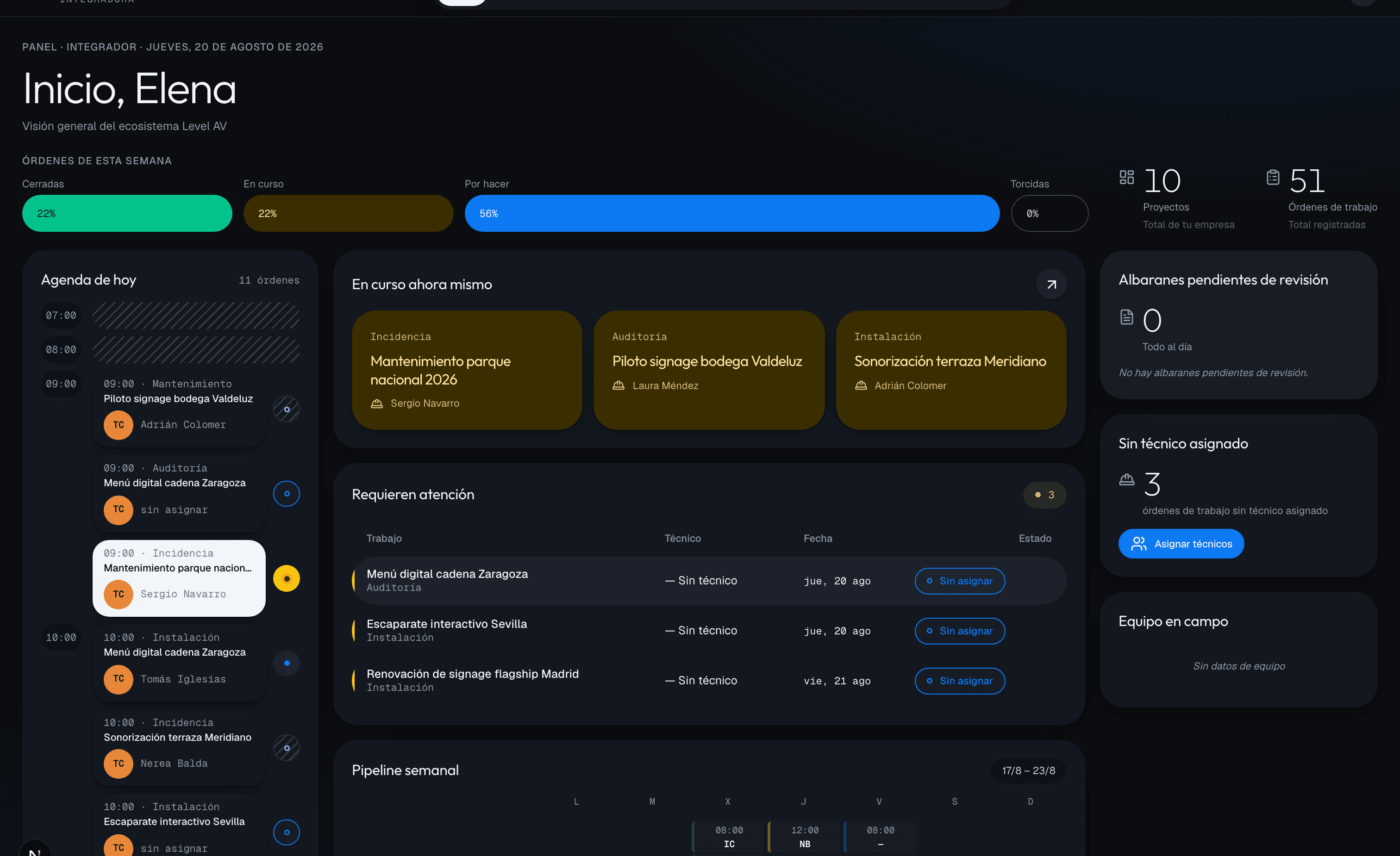
This is what the operation looks like.
Projects, work orders and delivery notes in a single view. Every signature on site shows up here straight away.
The work order
Everything about a job, in one place.
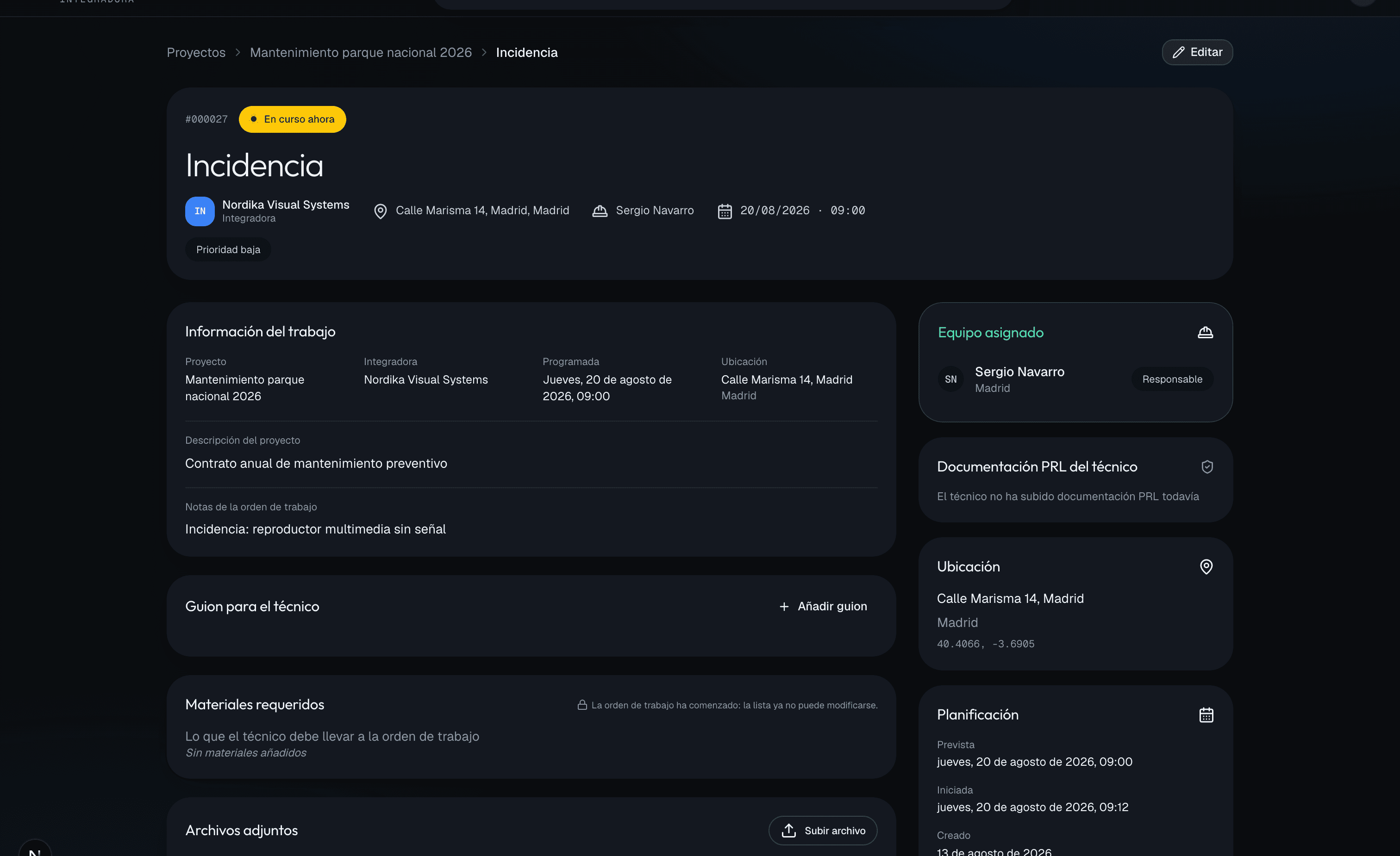
Who is going, when, with what equipment, what the client said and which photos there are of the site. When someone asks what happened on that installation, the answer is here and not spread across three conversations.
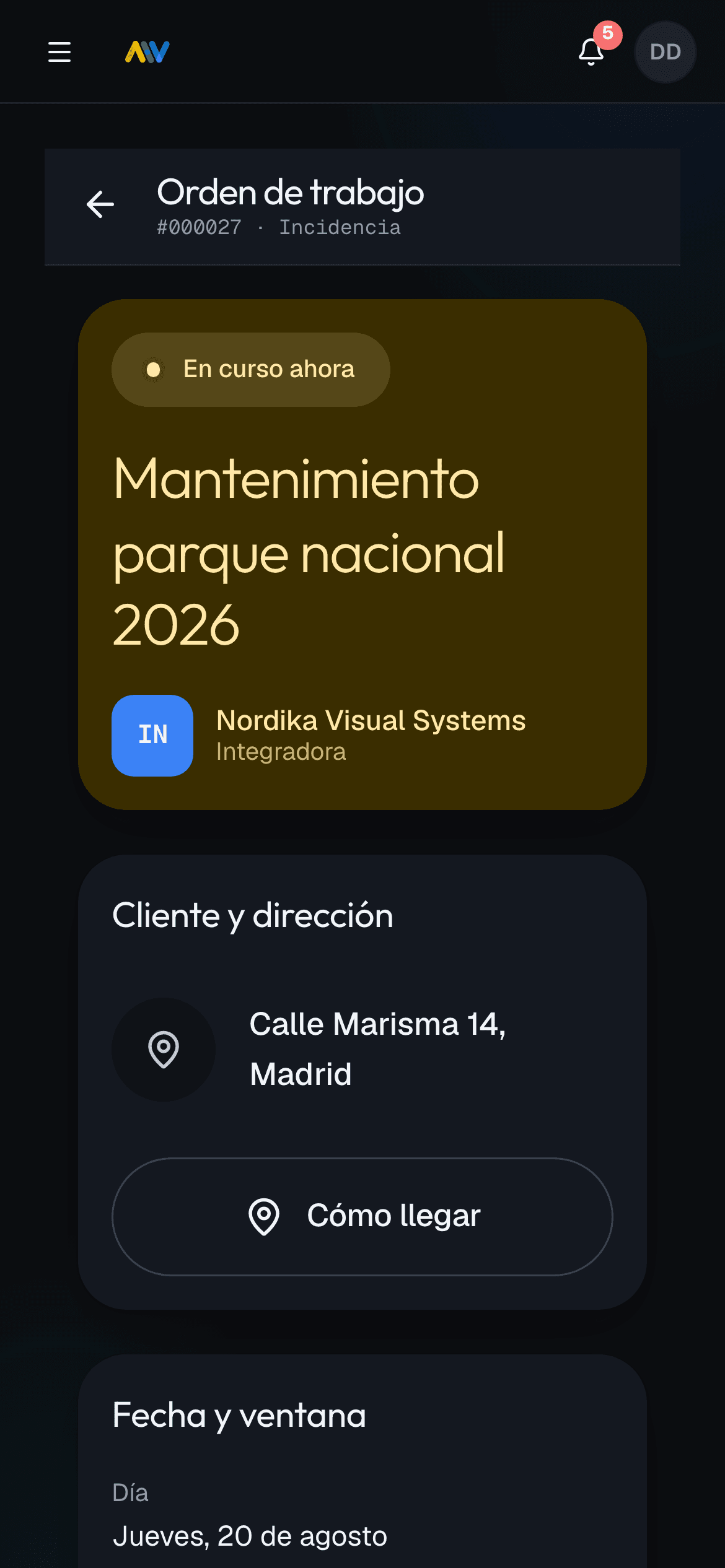
Built to be used with gloves on, up a scaffold.
Dense but readable. A guided checklist. Photos of the work. A signature on screen. Everything that closes a work order, on a single screen.
Installable PWA on Android and iOS. No app stores, no forced updates.
Check-in and check-out, timed. The order records who started it and when, using the server clock.
Photos attached to the order. With who uploaded them and at what time, where whoever invoices will look for them.
Client signature and rating when the delivery note is closed.
Work order
#000032 · Maintenance
Despliegue red tiendas Barcelona
Nordika Visual Systems
Integrator
Client and address
Passeig de Gràcia 43, Barcelona
Checklist
3 / 6
Check-in on site
Photo of top anchor
Screen 2 of 3 mounted
Schedule · Technician
August
AvailableSynced with Google Calendar
Next up
Signage pilot, Valdeluz winery
Tue 18 Aug · 09:00 · Logroño
Dashboard · Technician
Hi, Iria
A quick read on your day
3
Today
1
Pending
2
Closed
Retail network rollout Barcelona
Barcelona · Passeig de Gràcia 43
Lobby videowall, Hotel Atlas
Barcelona · Tomorrow 14:30
Meridiano terrace sound system
València · Closed 12 Aug
Sign-off
The client signs on the technician's phone, and you see it straight away.
The technician fills in the delivery note on site with their checklist and their photos, and the client signs right there, on the screen. The PDF is closed and attached to the work order, with the time and the author of every photo.
By the time you invoice, the proof that the work was done is already in place. Nobody has to go looking for it.
Features
Industry tools, built for the industry
No filler. Only what it takes to operate.
Technician directory
Search by location, specialty and rating, to find whoever is closest to each project.
Digital delivery notes
Configurable templates. Photos, checklists, client signature. Automatic PDF.
Projects and work orders
The full cycle, from planning to execution.
Contextual chat
A conversation tied to each work order. No WhatsApp.
Safety documentation
Certificates with expiry alerts and a public link to share with the end client.
Operational analytics
Data you did not have before. By technician, project and period.
Google and Microsoft calendars, in sync.
Technicians sync their Google Calendar or Microsoft 365 with Level AV, at no cost. Accepted work orders show up in their personal calendar, and the slots already busy in their diary block their availability in Level AV, without the integrator seeing what those slots are about.
Week 19 · May
Google Calendar sync · updated 2 min ago
Connect any CRM in minutes.
Zapier and Make as the bridge. Import projects, sync clients, fire webhooks. No code.
Connected to your CRM
Process
From planning to sign-off
Create the project
Set the scope, location, client and crew needed.
PlanningAssign technicians
Professionals by area and specialty, from the directory.
CoordinationExecute on site
The technician manages their schedule, documents the job and signs delivery notes.
ExecutionClose and document
Digital delivery note, photos, client signature. All traceable.
DocumentationThe whole AV industry. One single flow.
What sets it apart
Why Level AV
100% AV vertical
Not a generic project manager. It understands the flow: project, work order, delivery note, signature.
Configurable delivery notes
Each integrator's own templates and fields. Photos, checklists, digital signature and automatic PDF.
Safety paperwork built in
Certificates with expiry alerts and a public link to share with the end client.
Designed for the field
Mobile-first for the technician on the ladder. Desktop-first for the office.
SSO, safety paperwork, client signature. Serious things.
Sign in with your Google or Microsoft 365 account (SSO ready). Safety certificates kept current with expiry alerts. Delivery notes signed by the client on the technician's phone. Full traceability on every work order.
Google + Microsoft SSO
Corporate login, ready for your team.
Certificates with expiry alerts
Centralised and always current.
Client signature
On the technician's phone, as each work order is closed.
FAQ
Frequently asked questions
What is Level AV?
Level AV is a vertical SaaS platform for the professional audiovisual industry: fixed installation (digital signage) and live events (sound, lighting, video and streaming). It connects integrators and production companies with qualified technicians, and digitises the whole field operation.
Who is it for?
Several profiles in the industry: integrators and event production companies that need to coordinate their field operation; independent technicians (freelancers, live events included) who want more visibility and more work; and tech companies, whether their people are on payroll or a roster of trusted freelancers.
Is there a mobile app?
Level AV is a Progressive Web App (PWA) optimised for mobile. Technicians can work from any browser on their phone without downloading anything. It behaves like a native app.
How much does it cost?
For technicians, nothing. Level AV is free for any technician and there are no paid plans or tiers: a directory profile, receiving and running jobs, delivery notes with signature, a calendar synced with Google or Microsoft and safety documentation, all included.
Then who pays for Level AV?
Integrators, who are the ones saving time coordinating their field operation. Technicians and tech companies pay no subscription: that side of the platform is free, and there is no paid version waiting further down the line.
Is my data safe?
Absolutely. We use Supabase (PostgreSQL) with Row Level Security, encrypted in transit and at rest. We comply with GDPR and Spanish data protection law. Each user only sees the data their role entitles them to.
How long does it take to get started?
Onboarding takes under 5 minutes. Integrators can create their first project the same day. Technicians complete their profile (skills, location, coverage) and appear in the directory right away.
Pricing
The integrator pays. Whoever does the work, never.
The subscription is paid by the integrator. The technicians and tech companies who carry out the work join for free, and will keep joining for free: charging them would mean they stop being where you need them.
Request access
anticipado
We are in launch phase. Join as an integrator, as an independent technician, or with your tech company.